Mobile e-signing and document hub for Android professionals
E-sign: PDF Reader Editor opens with in-app signing and document scanning to capture, edit, and execute contracts on a phone, tablet, or campus device. Ivy Soft Team supplies this Android productivity tool, which combines PDF reading, form filling, and Word/Excel viewing into a single workflow. Key capabilities include a dedicated e-signature tool, page-jump navigation, and camera-based PDF conversion. The app fits business professionals, students, and office workers who need document work on the move.
Signing and paperless execution work on-device
The app provides a dedicated e-signature tool for adding signatures and initials directly to PDFs, so you can complete digital contracts without printing. The signing flow is described as mobile-optimized and appears alongside PDF form filling, which lets you place signatures, text fields, and initials inside the same document. These combined steps let a single device handle signature capture, placement, and saving back to PDF.
Multi-format viewing keeps disparate files in one place
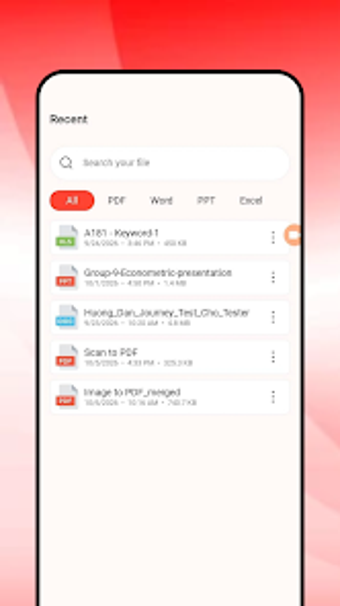
The app opens PDF, Word (DOC/DOCX), and Excel (XLS/XLSX) formats within one interface, removing the need to switch viewers when handling mixed-report packets. Page-jump navigation aids fast movement through long documents, and Word/Excel viewers let you inspect content without conversion. For professionals who receive mixed file types, the single-app viewing reduces file juggling during reviews and meetings.
Scanning, editing, and sharing support end-to-end document flows
Camera-based scanning converts physical pages into PDFs inside the app, then you can edit, fill forms, and export for distribution using built-in sharing tools. The editor covers form filling and basic PDF edits, while sharing options send completed files to colleagues or other platforms. The combined scan-to-sign-to-share path lets a user handle intake, modification, and output without leaving the app.
An efficient Android hub for mobile document work, with platform limits
E-sign: PDF Reader Editor suits professionals and students who need on-device signing, mixed-format viewing, and quick scan-to-PDF conversion. The app centralizes document tasks on Android, and its feature set supports complete mobile workflows. The main trade-off is platform scope: it's built for Android devices, so teams relying on other platforms must use alternate tools for cross-platform parity.